
A cabinet lock keying schedule connects each door to the people who should open it. Start with a cabinet ID and key group on every order line. Specify keyed alike where a group shares an operating key and keyed different where doors need separate keys. Record spare-key quantities independently so the receiving team can check them. For a door group using the MS758-5-Z cylinder lock, keep the group identifier beside the model and ask the supplier to confirm the key code.
Jump to buyer FAQs / Product pages and sources
Group doors by who needs access
Start with the door list and the people who use each opening. If a maintenance team services six doors with the same access rules, one key group may suit those six doors. Give a separately controlled compartment its own group and state which other groups must stay separate. Apply the same logic when one cabinet has two doors with different access needs.
Use short buyer references such as A and B in the drawing, bill of materials and quotation. The group reference identifies your access requirement. Add the supplier-confirmed keying reference when you approve the quoted configuration.
Describe the access arrangement in the quote
Keyed alike means the specified group shares a key. Keyed different calls for separate operating keys across the specified locks. A master-keyed arrangement adds an authorized key that can operate the locks within its agreed scope. Confirm the available scheme for the exact model and quantities in the quote.
For two groups that each share a key internally, write both requirements explicitly. For example, specify that the group A key should open the A doors and that the B doors require a separate group key. If the project also calls for master access, list the groups it would cover and ask the supplier to confirm that configuration.
Put the door list and the key quantities in the same schedule
This example shows how to write two separate groups for a small enclosure order. Replace the illustrative door IDs and quantities with your project data.
| Door IDs | Lock quantity | Key group | Access requirement | Quote confirmation |
|---|---|---|---|---|
| Service doors S01–S06 | 6 | A | Shared key code for the six service doors | Confirm the available keyed-alike option and keys included. Quote two extra A keys. |
| Inspection doors I01–I02 | 2 | B | Shared key code for the two inspection doors, distinct from group A | Confirm a separate B group and keys included. Quote one extra B key. |
Add the full model and suffix to each row in your actual schedule. Ask the supplier to state whether the included key quantity is per lock, per group or per shipment. Put extra keys on their own quotation lines so the requested total remains clear when the lock quantity changes.
Pair the key schedule with the exact model record
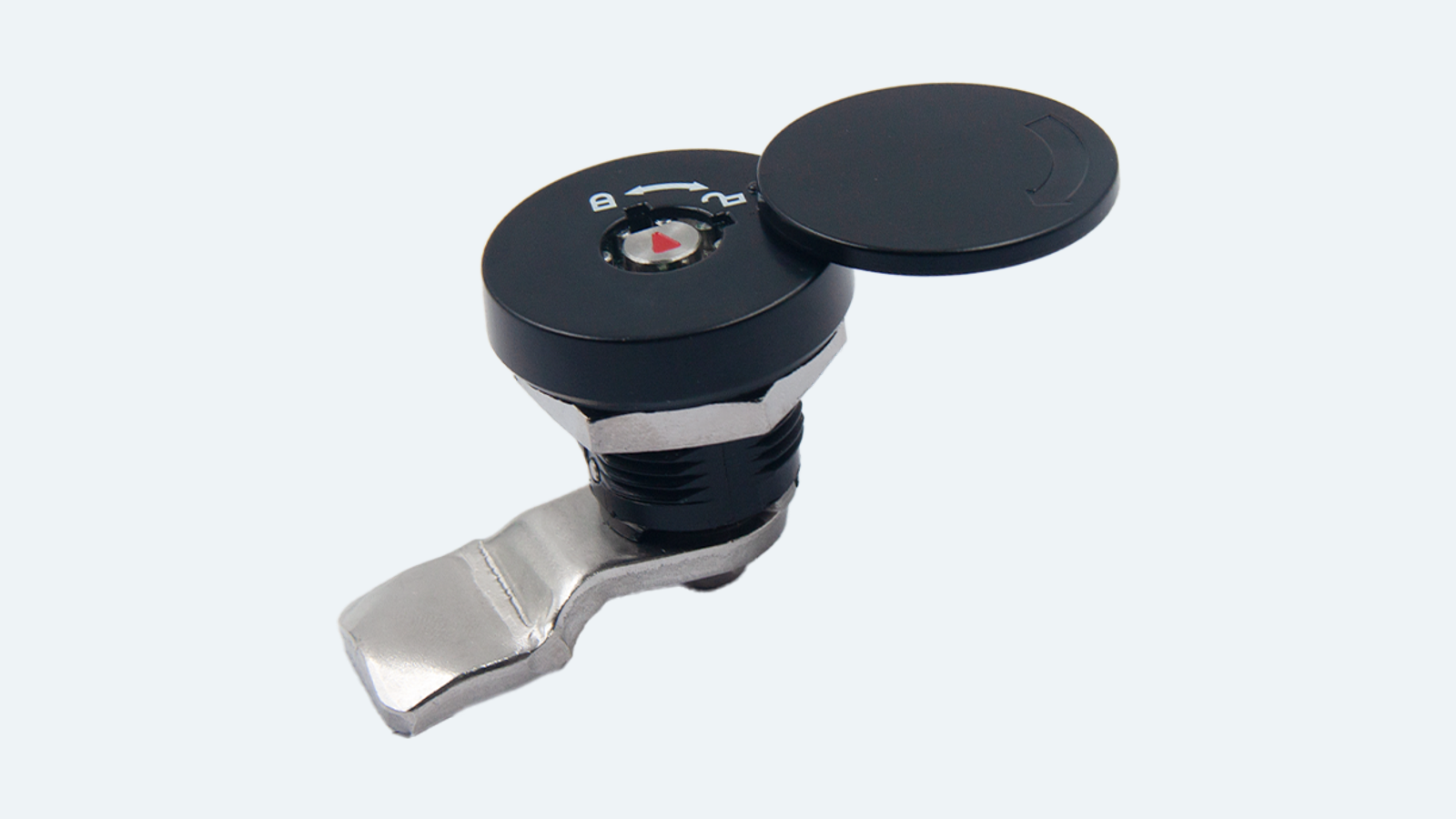
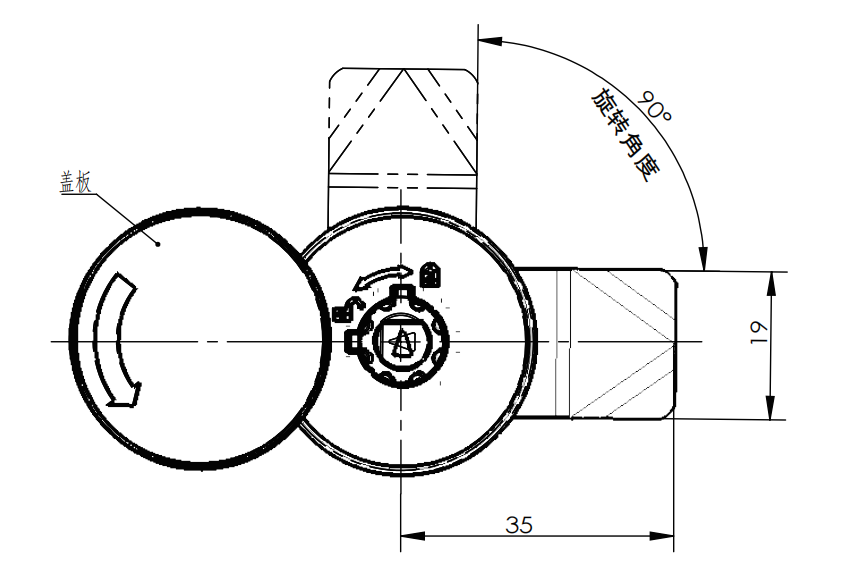
INMAX lists the MS758-5-Z as a cylinder lock. Its technical information identifies the key and cylinder among the components, and the original drawings show the lock face and mounting details. Use the model and drawing to identify the hardware in the RFQ, then ask INMAX to state the keying option it can quote for your group plan. MS758-5-Z product page and MS758-5-Z drawings.
Carry the group references into receiving and repeat orders
Ask for packing identification that lets your receiving team match the locks and keys to each schedule row. Check a representative lock from each group against the agreed access plan before distributing the keys. Include the separation between groups in that check when the order requires it.
For a repeat order that must match installed locks, give the supplier the previous order reference, the exact model and the confirmed keying reference through your purchasing channel. Ask for a match to the existing group in writing before approving the new order. Record the confirmation alongside the original schedule so the next buyer can trace it.
Using a cabinet lock keying schedule at receiving
Keep a copy of the agreed schedule beside the sample cylinders. Use the door and group identifiers from the order to record what was delivered.
- Match the labels. Record the door ID, cylinder model and key-group reference on each sample pack before distributing the keys.
- Check the agreed access. For a keyed alike group, try its designated test key on the sample doors assigned to that group. For keyed different doors, check each door with its assigned key and record any mismatch with the agreed schedule.
- Reconcile the key quantities. Count operating keys and spares separately for each group. Identify the affected order line when either quantity differs.
- Keep a repeat-order record. File the confirmed group reference, model and order number together. Ask the supplier to confirm compatibility before adding another cylinder model to that group.
Send your cabinet lock keying requirements to INMAX
Include the model or drawing, door IDs, group quantities, intended shared or separate access, extra keys and any earlier order to match. Ask for the available keying arrangement and included keys to be itemized against each group. Send a cabinet lock enquiry.
Use the cabinet lock RFQ checklist to add the remaining drawing, finish, quantity and delivery fields to the same request.
Product pages and technical references
- INMAX product pages
- MS758-5-Z cylinder lock
Cabinet lock keying schedule FAQ
Does keyed alike mean every cabinet on my site shares a key?
Only the cylinders assigned to that group are intended to share the operating key. Give separate departments or access zones different group identifiers, and ask the supplier to confirm the arrangement for the selected model.
How should I specify keyed different cylinders and spare keys?
Use one line per door or defined cylinder group. Enter the operating keys supplied with each cylinder and the extra keys requested as separate quantities. Have purchasing keep the agreed cabinet lock keying schedule with the order.
What should I send when adding cabinets to an earlier order?
Include the previous order reference, the existing group identifier and the proposed new model. Have the supplier confirm group compatibility before release. Put that confirmation alongside the commercial fields in the cabinet lock RFQ.